
Assigning a security role
In short
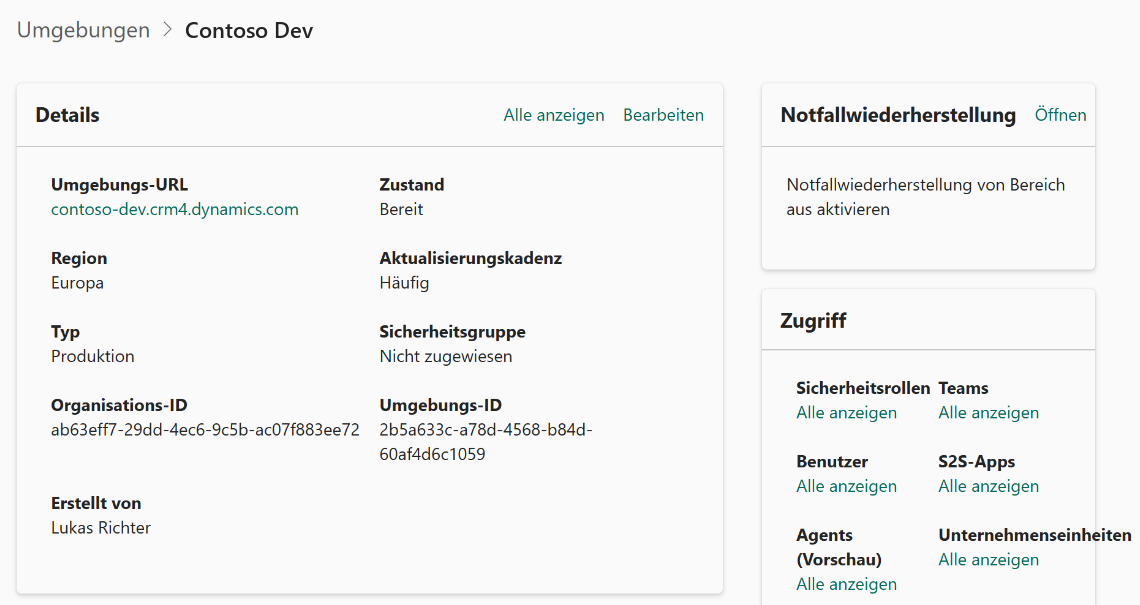
Anyone who works in the designer needs the security role “Smart Templates Designer”. An administrator assigns it in the Power Platform admin center: open the environment, select the user, check the role, save. The images show an example environment and an example user; yours have different names.
Who may assign the role
Roles are assigned by anyone who has the role “System Administrator” in the environment. What the role “Smart Templates Designer” allows is described under Rights and roles: Designing templates.
Step by step
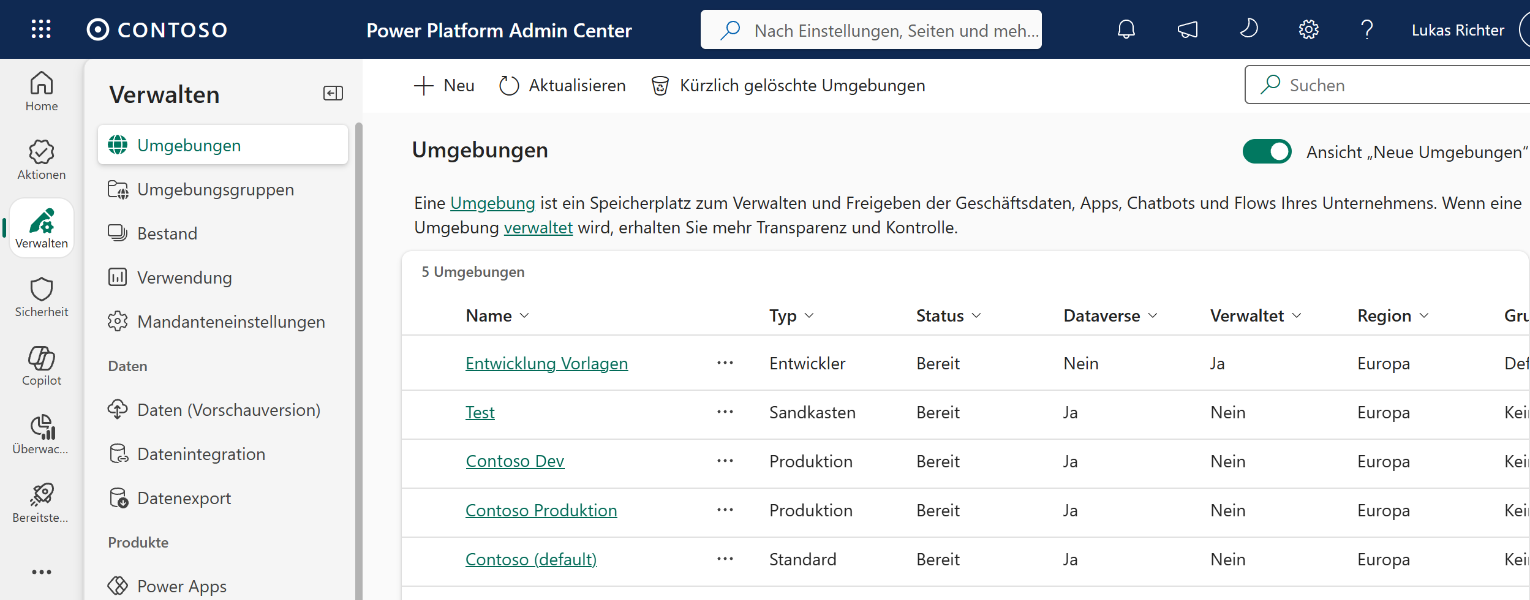
- Open the Power Platform admin center at admin.powerplatform.microsoft.com. On the left, choose “Manage” and below it “Environments” , and click the name of your environment in the list .
- In the card “Access”, under “Users”, click “See all”.
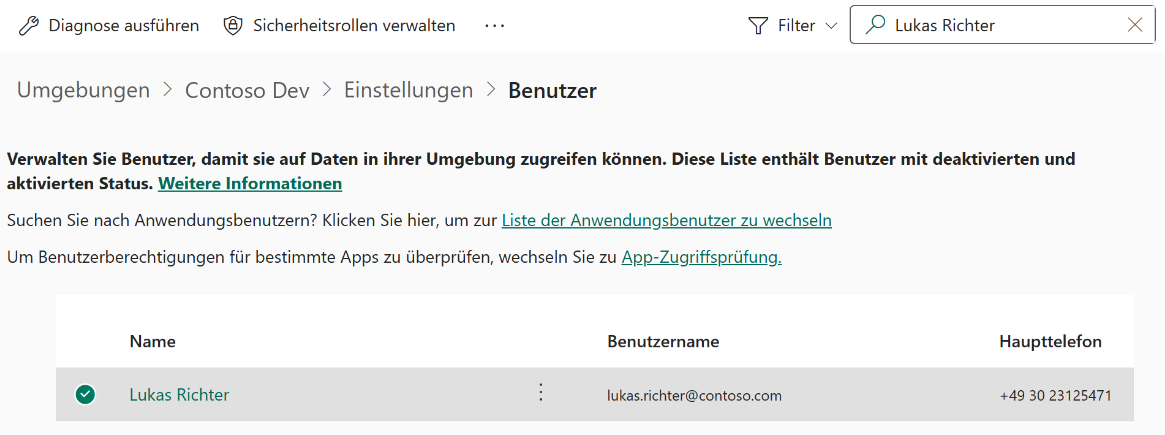
- Type the name of the user into the search box at the top right . Click next to the name in the user’s row so that the row is selected , and then click “Manage security roles” at the top .
- In the panel “Manage security roles”, check the role “Smart Templates Designer” ; the list is long and sorted alphabetically. The roles the user already has are checked and stay checked. Click “Save” .
The role is assigned. If the user has Smart Templates open right now, the role takes effect there only after the page is reloaded.
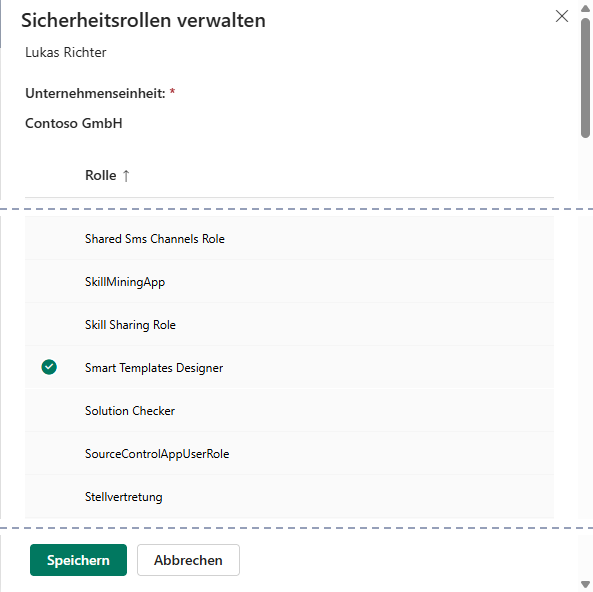
At the dashed lines, part of the list is left out of the image.